Your first look around
The dashboard, the Open-for-business checklist, and what every item in the left menu does.
about 6 minutes
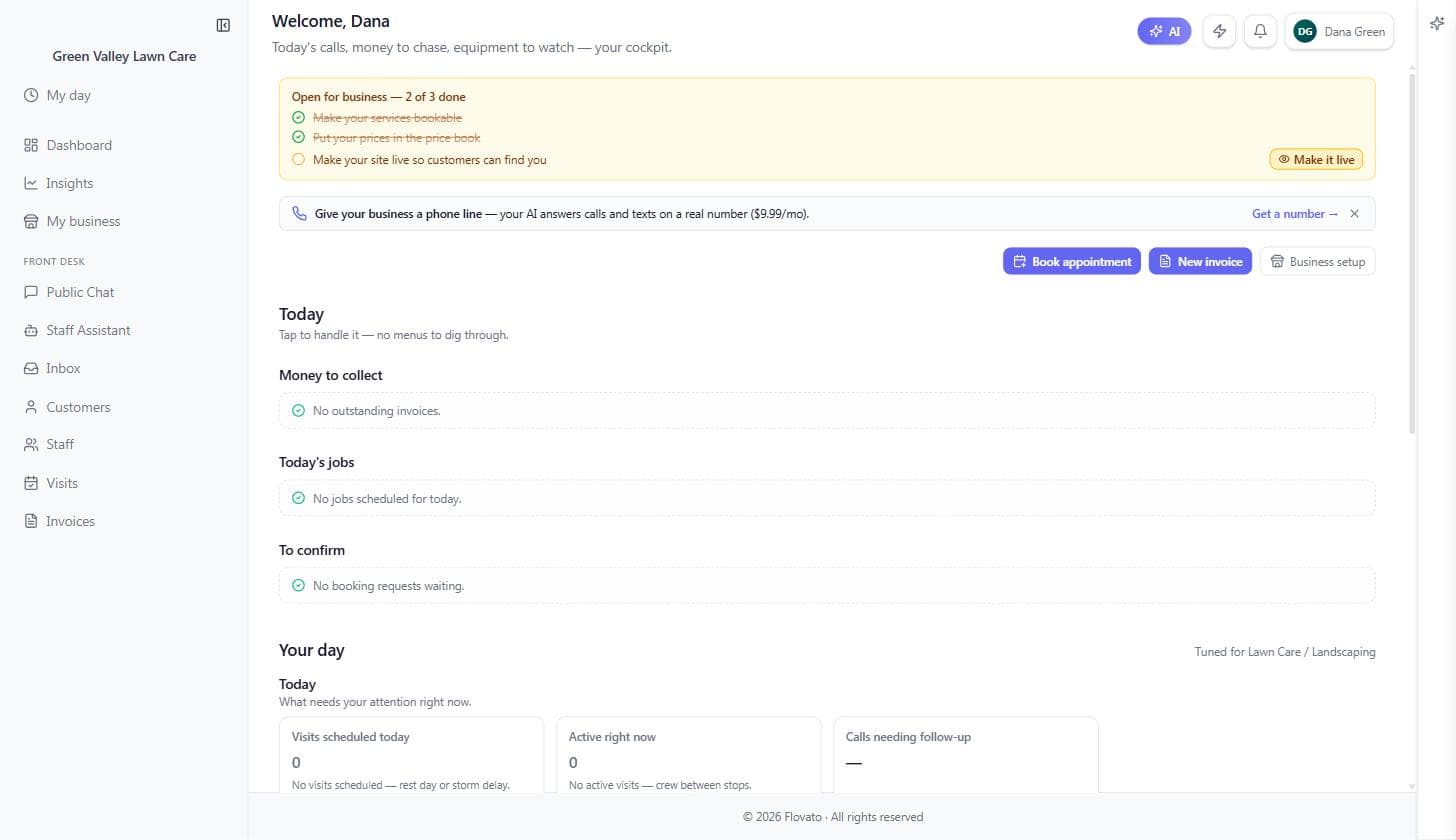
The dashboard is your home base: today's jobs, money to chase, and anything that needs attention, all on one screen.
While you're setting up, watch the "Open for business" checklist at the top. It tracks the handful of things left before customers can reach you, each item links straight to the right screen, and items cross themselves off as you go — you can run your whole setup from that list.
Just you: Solo, the dashboard is your whole office — jobs, money, and messages in one glance between stops.
With a crew: With a crew, you keep this full cockpit while each tech gets My Day — a simple view of just their own jobs for the day.
Your day, at a glance
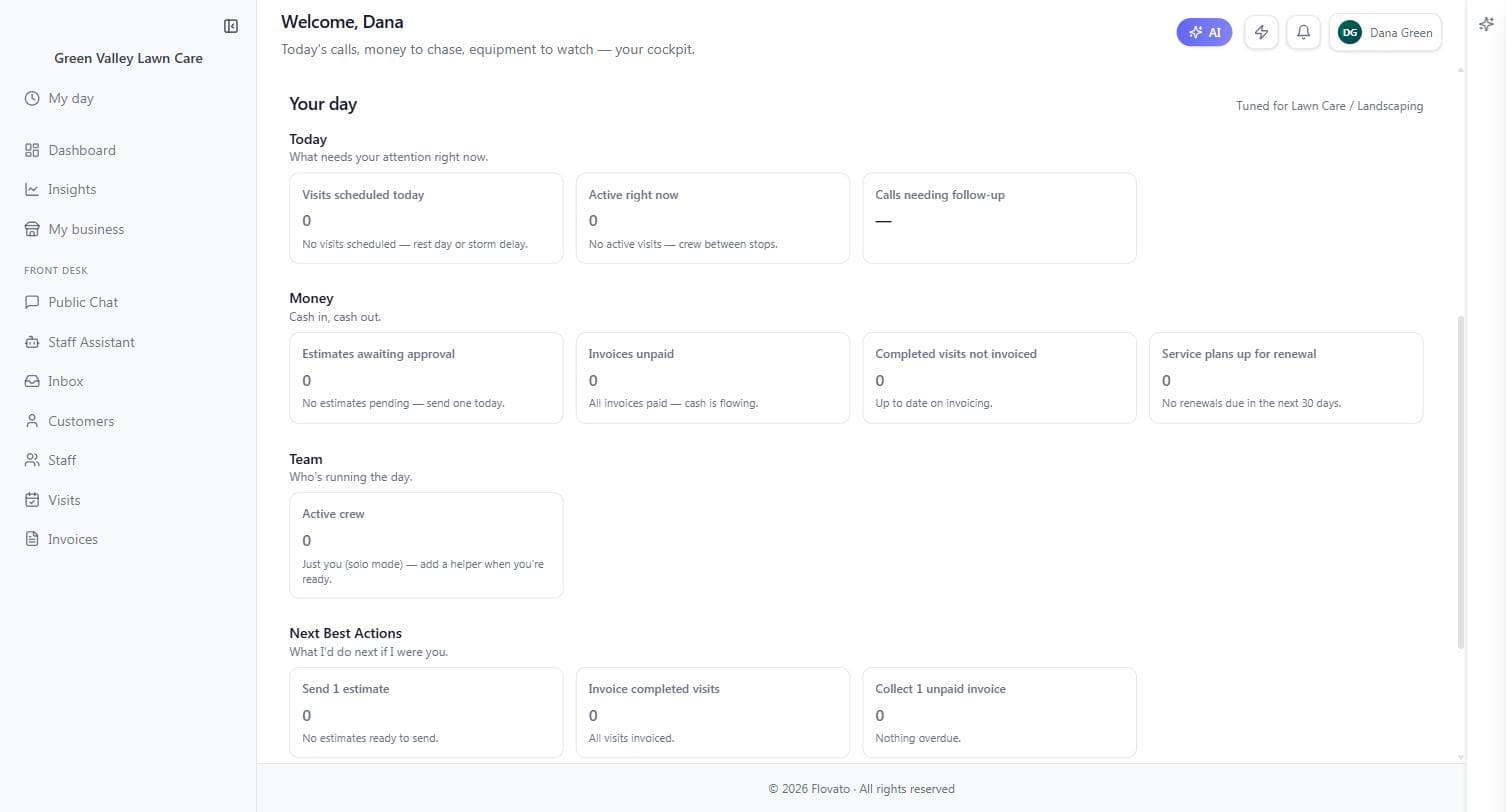
Scroll down and the dashboard becomes a cockpit tuned to your trade — Green Valley's says "Tuned for Lawn Care / Landscaping" in the corner. Today shows visits scheduled, active right now, and calls needing follow-up. Money tracks estimates awaiting approval, unpaid invoices, completed visits you haven't invoiced, and service plans coming up for renewal. Team shows who's running the day, and Next Best Actions suggests the one thing worth doing next — "collect 1 unpaid invoice" beats staring at a report.
Every card is a button: tap it and you land on the screen that handles it. The design goal is no menu-digging — if something needs attention, it's already on this screen.
Green Valley's Team card reads "Active crew 1" — that's Dana herself; it grows as you add people to your roster.
The left menu, top to bottom
Dashboard is this home view. Insights is your numbers over time. My business is your whole setup — brand, hours, robots, prices, locations, and team, in one place; you'll spend most of this guide there.
The left menu is short on purpose: My day, Dashboard, Insights, Staff, Customers, Team inbox. My day is the field view — today's visits and nothing else, which is all a tech ever needs open. Dashboard is home, Insights is your numbers over time, Staff is your roster, Customers is your directory, and Team inbox is your team's messages.
Everything else is reached from where the work shows up rather than from a menu: invoices from the Money cards and the "New invoice" button on the dashboard, visits from "Book appointment" and "To confirm", and your whole setup — brand, hours, robots, prices, locations, team — from "Business setup" on the dashboard. The Staff Assistant is the panel on the right of every screen.
Installing your trade adds one more line to the checklist — getting paid online — so don't be surprised when "of 3" becomes "of 4".